
Quick Summary
Printer supplies for home offices cost more over time than the printer itself, so the best value comes from comparing cost per page. For text-heavy printing, a monochrome laser with high-yield toner, such as the Brother TN760, typically keeps supply costs predictable.
- Divide a cartridge's price by its page yield to compare true cost per page.
- The Brother TN760 is listed at $99.99 CAD for one pack and $186.99 CAD for two.
- Laser printers generally cost less per page for text-heavy home office work.
- Confirm the exact model number before buying any cartridge or toner.
- Keep one spare cartridge on hand and reorder when you open it.
Table of Contents
- Why Supplies Cost More Than the Printer
- Inkjet or Laser: Which Costs Less Per Page
- Choosing the Right Affordable Printer Ink Cartridges
- Home Office Toner Cartridges Worth Buying
- High-Yield Ink Cartridges: When the Math Works
- Printer Paper for Home Office Use
- Avoiding Compatibility and Purchasing Mistakes
- Budgeting Supplies and Storing Them Properly
- Setting Up Your Home Office Supply Order Today
- Frequently Asked Questions
Why Supplies Cost More Than the Printer
Last Updated: November 19, 2026
Most people buy a printer for a low sticker price, then discover that printer supplies for home offices cost far more over the printer's life. The printer is often the cheapest part of the setup. Cartridges, toner and paper quietly make up most of the spend.
This is where a practical buying approach pays off. Copy-Cat offers printers, toner and copy paper, so this guide focuses on what those supplies cost and how to keep the bill under control. Browse printer ink cartridges to compare the specific options the business sells.
Many small offices find that consumables outlast the printer's initial price difference. A machine that costs less up front can cost more over time if its cartridges are expensive or run out quickly. The better question is what each printed page costs.
The printer is a one-time purchase. The supplies are not. A home office that prints a few hundred pages a month will buy cartridges again and again. Small price differences on each order add up quickly.
Two costs deserve attention:
- Cost per page: the price of a cartridge divided by its page yield
- Paper and storage: how much you buy at once, and how it is kept
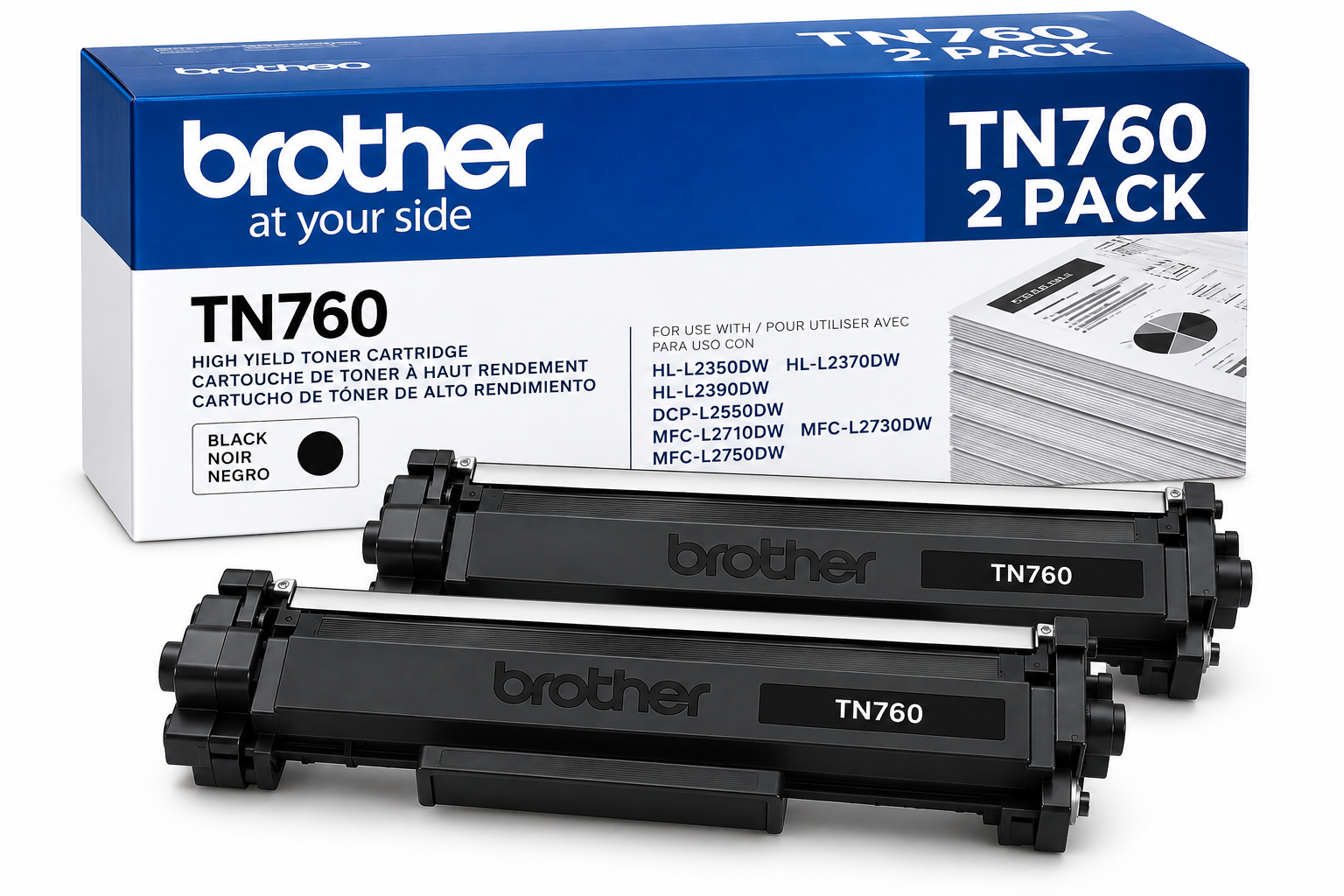
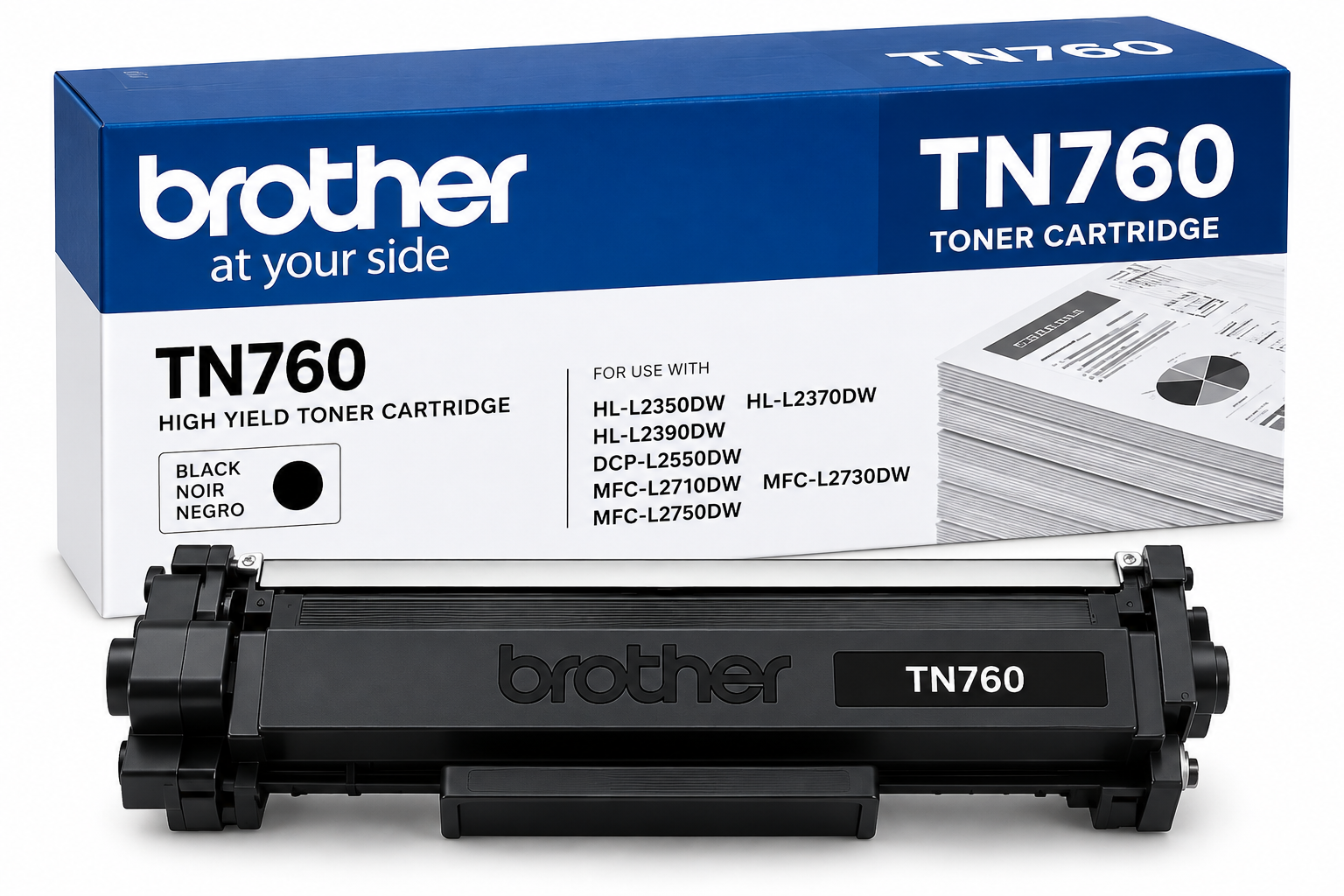
Copy-Cat's Brother TN760 High-Yield Black Toner Cartridge is listed at $99.99 CAD for one pack. The two-pack is listed at $186.99 CAD, which works out to roughly $93.49 per cartridge.
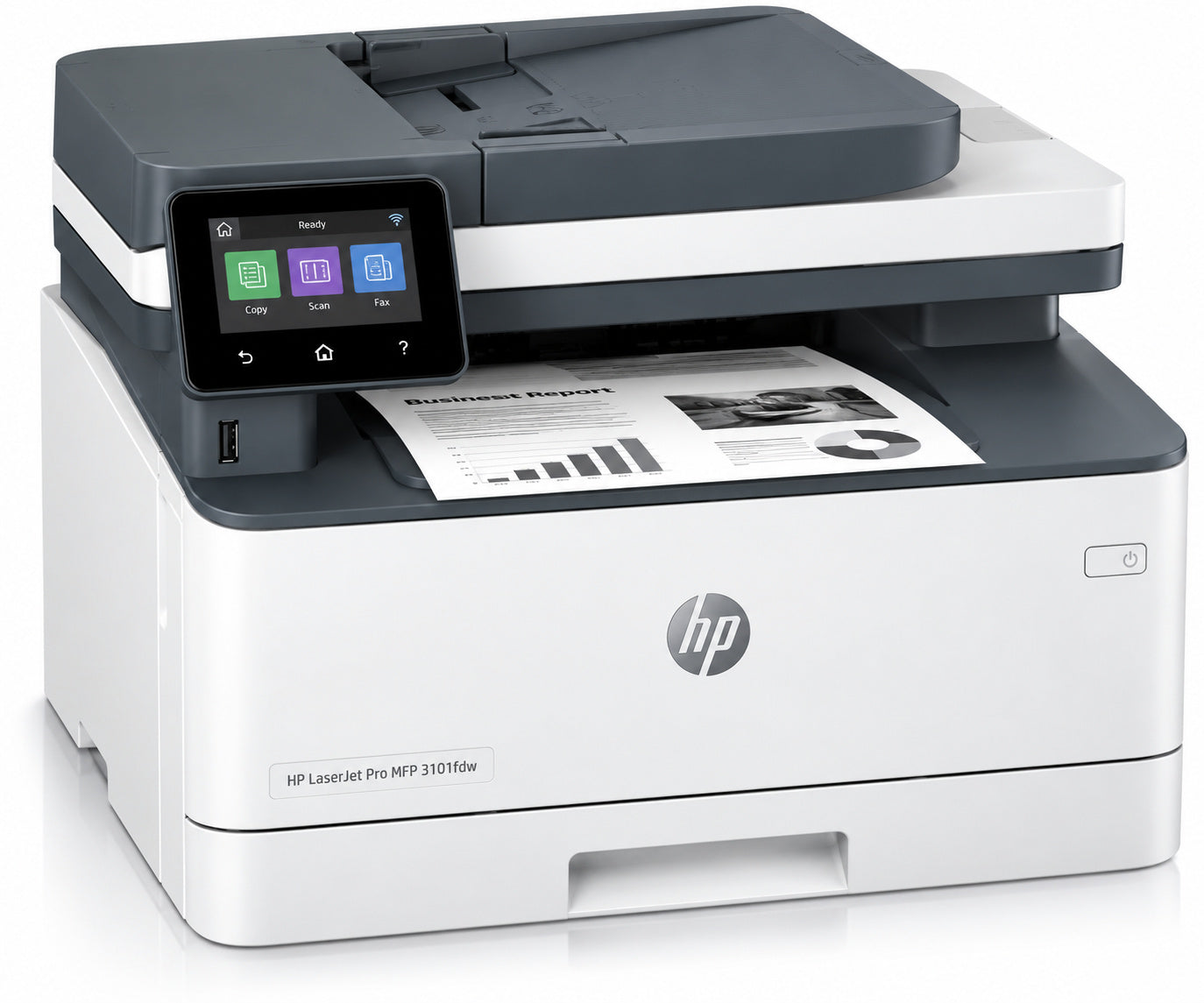
For a home office that prints mostly black text, a monochrome laser printer usually keeps supply costs predictable. The HP LaserJet Pro 3101fdw Wireless Multifunction Black & White Laser Printer is listed at $289.99 CAD. The Xerox B225 MFP Printer Monochrome is listed at $209.99 CAD.
Inkjet or Laser: Which Costs Less Per Page
Laser printers generally cost less per page for text-heavy work, while inkjets suit occasional color printing. The right choice depends on how much you print and in what color.
A laser printer uses toner cartridges with high page yields. Those cartridges often print thousands of pages before they need replacing. Inkjet printers use ink cartridges that usually have lower page yields, so each page can cost more in consumables.
For a home office that prints contracts, invoices and letters, a monochrome laser is usually the more economical option. The Brother TN760 is listed as a high-yield cartridge, which means fewer replacements than standard cartridges. The Brother monochrome laser printer is listed in our catalogue, and the high-yield Brother TN760 toner is a listed option for it.
Color printing changes the math. Each color requires its own supply, and color toner is listed at $699.99 CAD per cartridge for the HP CE340A, CE341AC and CE342AC models. Unless color output is essential, a black-and-white laser is usually the cheaper route.
Choosing the Right Affordable Printer Ink Cartridges
Choose printer ink cartridges based on page yield, compatibility and how often your office prints. The cheapest cartridge is not always the lowest-cost option once you count how often you must replace it.
Start with three checks:
- Confirm the model number. A cartridge must match your printer exactly.
- Compare page yield. A higher yield usually lowers the cost per page.
- Check the price per cartridge. Divide the price by the stated yield to compare fairly.
Watch out: a low sticker price can hide a short page yield.
For the printers in our catalogue, the Brother TN760 is the standard high-yield option. Its single-pack price is $99.99 CAD, and its two-pack price is $186.99 CAD. Brother lists the TN760 as compatible with several models, including the DCP-L2550, HL-L2325 and MFC-L2717.
Home Office Toner Cartridges Worth Buying
Toner cartridges are worth buying when they match your printer, deliver a high page yield and fit your monthly volume. Copy-Cat's catalogue includes Brother and HP toner options at different price points.
Brother TN760 High-Yield Black Toner Cartridge (1 pack): $99.99 CAD. A good choice for a home office printing mostly black text on a compatible Brother monochrome laser.
Brother TN760 High-Yield Black Toner Cartridge (2 pack): $186.99 CAD. Buying two cartridges cuts the per-cartridge cost and keeps a spare on hand.
HP CE340A, CE341AC and CE342AC toner cartridges: $699.99 CAD each. These are genuine HP 651A cartridges with a page yield of 16,000, compatible with HP LaserJet Enterprise MFP M775 models. The price suits a high-volume office rather than a typical home setup.
Many home offices find the Brother TN760 the best balance of cost and yield. The HP 651A cartridges make sense only if you already run a compatible LaserJet Enterprise printer and print at a high volume.
High-Yield Ink Cartridges: When the Math Works
High-yield cartridges are worth the extra cost when you print regularly, because they reduce how often you buy and install replacements. They make less sense for occasional printing, where a cartridge may dry out before it runs out of ink.
Use a simple check. Estimate how many pages you print each month. If a high-yield cartridge lasts several months at your volume, its lower cost per page usually wins. If you print only a few pages a month, a standard cartridge may suit you better.
The Brother TN760 falls into this category. Its high page yield suits a steady office workload, and buying it in a two-pack adds a spare for the next replacement.
Printer Paper for Home Office Use
Paper is the supply most home offices buy on autopilot, yet it drives both running cost and print reliability. Matching weight, finish and brightness to the job keeps jams down and stops you from overpaying for stock a document does not need.
Weight and thickness. In Canada, paper is sold by basis weight in pounds (lb) and by grammage in grams per square meter (gsm). Standard multipurpose copy paper is 20 lb. (75 gsm). It feeds reliably through most inkjet and laser printers and suits everyday text. A 24 lb. (90 gsm) sheet feels heavier and resists show-through on double-sided printing, which matters for client-facing documents. Heavier stock, such as 32 lb. (120 gsm) or cardstock, is for covers and cards, and only some printers can feed it without a rear or manual tray.
Finish. Plain uncoated paper is the default for internal documents. Matte coated paper gives sharper photographic color but costs more and can smudge on inkjets that lay down heavy ink. Glossy stock is for presentations and photos, not for pages that will be written on or scanned.
Brightness. Brightness ratings such as 95 or 96 Bright describe how white the sheet appears. Higher brightness makes black text look crisper and color look more vivid, but the difference is subtle for internal printing. A 92 Bright sheet is usually fine for drafts and filing.
Matching paper to the job.
- Contracts, invoices and letters: 20 lb. (75 gsm) plain, 95 Bright or higher, so text scans cleanly.
- Double-sided reports and proposals: 24 lb. (90 gsm) plain to reduce show-through.
- Color handouts and flyers: matte coated or a brighter 24 lb. sheet.
- Labels and shipping: label stock rated for your printer type; laser labels and inkjet labels are not interchangeable.
- Photos: photo paper matched to your inkjet, since plain paper will not hold the ink.
Copy-Cat lists two 8.5 x 11 copy papers at 20 lb. (75 gsm). The Papyrus Digital 96 Bright paper is listed at $1,839.60 CAD per 5,000-sheet carton. The Excellent Copy 95 Bright paper is listed at $1,879.60 CAD per carton. Each carton holds 10 reams of 500 sheets. That upfront outlay is large, which is why cartons make sense only when your monthly volume is steady.
Storage and handling. Keep paper flat, dry and sealed until use (Storing Works on Paper - Canadian Conservation Institute (CCI) Notes 11/2). Damp or dusty paper is a common cause of jams, which wastes both paper and toner. Our guide on preventing paper jams in your office covers the habits that keep feeds running smoothly. Store reams off a concrete floor, away from sunlight and humidity swings, and reseal a partly used ream rather than leaving it open on the tray. In a dry winter office, paper can curl; letting a sealed ream acclimate to room temperature before loading reduces feed problems.
Watch out: buying a carton before you know your monthly sheet count can leave you storing paper for a year or more, and paper that absorbs moisture over that time feeds poorly.
Avoiding Compatibility and Purchasing Mistakes
Most supply problems come from buying the wrong item, not from the product itself. Check compatibility before every order.
- Match the exact model. Brother and HP cartridges list specific compatible printers. Check the list before buying.
- Do not mix sizes or yields. A standard cartridge in a high-yield slot will not work.
- Confirm paper size. Letter size (8.5 x 11) is listed for these copy papers. Mismatched sizes can jam a printer.
- Avoid unlisted substitutes. Use the cartridge number your printer manual specifies.
Compare the model number, page yield and total price before choosing any supplier. A slightly higher price for a verified match is usually the safer buy.
Budgeting Supplies and Storing Them Properly
A supply budget works when it is built from your actual print volume rather than from guesswork. The method below turns monthly page counts into cartridge and paper quantities, so you buy the right pack size and stop paying rush prices.
Step 1: Count your monthly pages. Most printers report a page count in their settings or web interface. Note the total, then split it into black-and-white and color pages, since color supplies cost far more per page.
Step 2: Convert pages to cartridges. Divide your monthly black-and-white page count by the cartridge's stated page yield. If you print 600 pages a month and a high-yield cartridge yields several thousand pages, one cartridge covers many months. Round up to whole cartridges, because you cannot buy a fraction of one.
Step 3: Convert pages to paper. A ream is 500 sheets. At 600 pages a month you use a little over one ream, so a 10-ream carton lasts roughly eight months. If you print 200 pages a month, a carton lasts over two years, and buying by the ream may suit you better.
Step 4: Choose pack sizes. Compare the per-unit price of single packs against multi-packs. The Brother TN760 High-Yield Black Toner Cartridge is listed at $99.99 CAD for one pack and $186.99 CAD for a two-pack, which works out to roughly $93.49 per cartridge. The saving per cartridge is modest, so a two-pack is worth it mainly when you know you will use the second cartridge before it sits too long.
Step 5: Set a reorder point. Keep one spare cartridge on hand and reorder when you open it, not when the printer stops. That single rule prevents most stockouts without tying up much cash.
A simple monthly worksheet.
- Pages printed per month: ______
- Black-and-white pages: ______
- Color pages: ______
- Cartridge yield (from the box or listing): ______ pages
- Cartridges needed per year: monthly pages x 12, divided by yield, rounded up
- Reams needed per year: monthly pages x 12, divided by 500, rounded up
- Annual supply spend: cartridges per year x cartridge price, plus reams per year x ream price
Run the worksheet once, then update it when your printing pattern changes. A home office that shifts from occasional printing to daily invoicing will see the cartridge count rise quickly, and the worksheet shows that before the bill arrives.
Stockouts versus waste. Buying too little means rush orders and downtime. Buying too much ties up cash and, for ink, risks a cartridge drying out before use. The balance point is one spare cartridge and a paper quantity that lasts no more than about a year.
Storage that protects the spend. Store cartridges in their sealed packaging, away from heat and direct light, until you need them. Keep paper flat, dry and sealed. Label the shelf with the purchase date so older stock gets used first.
A two-pack of Brother TN760 cartridges is listed at $186.99 CAD.
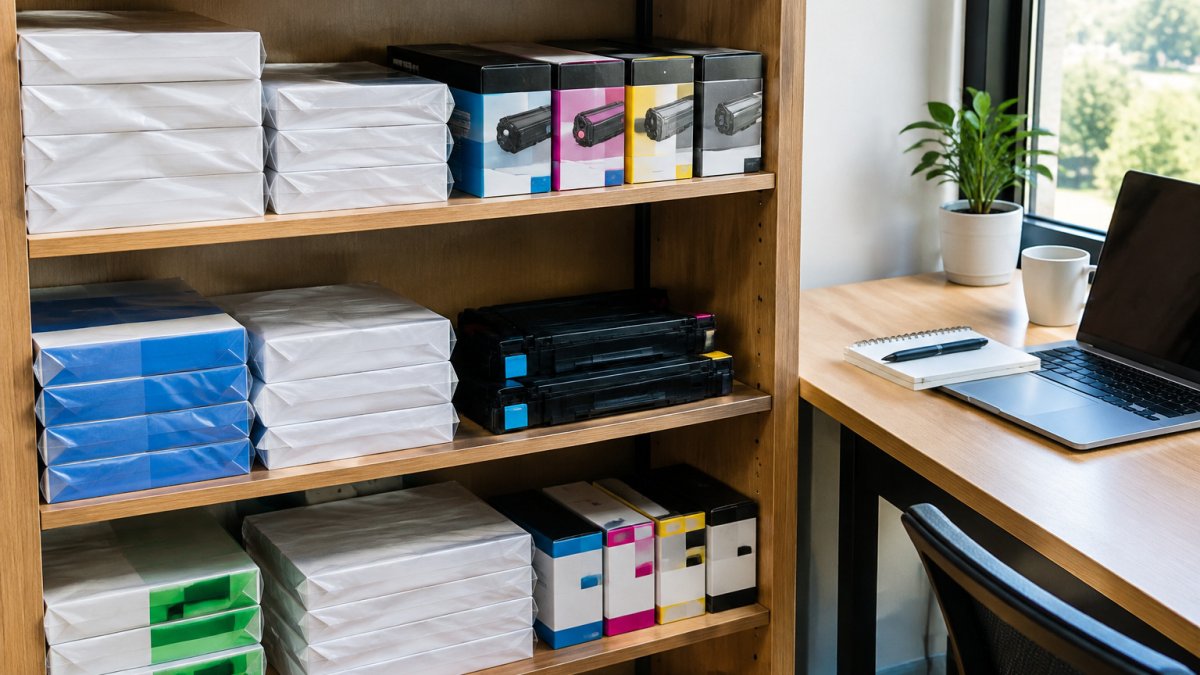
!A tidy home office shelf stocked with boxed paper reams and spare toner cartridges, a laptop open nearby
The article's budgeting method breaks down into the figures below, using the Brother TN760 pricing it cites.
| Item | Value | Note |
|---|---|---|
| Brother TN760, one pack | $99.99 CAD | Single cartridge |
| Brother TN760, two pack | $186.99 CAD | About $93.49 per cartridge |
| Sheets per ream | 500 | Used to convert pages to paper |
| Reams per 10-ream carton | 10 | Carton holds 5,000 sheets |
| Reorder point | One spare cartridge | Reorder when you open the spare |
Setting Up Your Home Office Supply Order Today
Start by listing the printer you own, how many pages you print each month and which supplies you need. That list makes it easy to choose the right cartridge, the right paper and the right quantity.
Begin with the Brother TN760 high-yield toner for black-and-white work, and add copy paper in a carton if your monthly volume justifies it. Shop Copy-Cat's printer supplies to compare Brother, HP and Xerox options and find the setup that fits your budget.
Set up a standing order for your most-used supplies, and check your stock monthly. Our guide to ordering office supplies online for business walks through the steps. Reordering before you run out keeps the printer running and avoids rush purchases at higher prices.
Frequently Asked Questions
What printer supplies do I need for a home office?
Most home offices need a printer with ink or toner matched to the model, a supply of plain copy paper, and a spare cartridge for the colour or black you print most. Start with black toner or ink because it is used most often. Keep one spare of each high-use item so a empty cartridge does not stop urgent work. Check your printer's manual for the exact model numbers before ordering.
How can I reduce ink and toner costs at home?
Print in draft mode for internal documents, use black-only settings for text, and avoid printing full-colour pages unless needed. Choose high-yield cartridges where the page volume justifies the cost. Buy supplies in multipacks when you can use them before they age.
Is inkjet or laser printing cheaper for a home office?
For mostly text documents, laser printers usually cost less per page because toner yields more pages and text stays sharp. Inkjets are cheaper to buy and suit occasional colour printing, but their cost per page rises with heavy use. Compare the cost per page of your own cartridges before deciding, since yield figures vary widely between models.
Are high-yield ink and toner cartridges worth it?
High-yield cartridges, such as the Brother TN760 at $99.99 for one pack or $186.99 for a two-pack, are worth it when you print regularly. Their higher page yield lowers the cost per page even though the upfront price is higher. For light, occasional printing, a standard cartridge may be the better choice because it might not be used before it dries out.
